
CoreBluetooth For Central (4)
Connect BLE Device
承前面Discover BLE Device所介紹內容,我們修改這個專案更名為BluetoothLE-Connect,這節要完成的項目是從發現裝置之後,符合自已設定的周邊名稱後就自動連線至週邊,不過,Xcode的操作細節就不像先前一樣做介紹。
取得連線周邊的名稱
依照之前完成的程式碼,當按下Scan時就可以取得周邊訊息,範例如下:
2014-03-31 16:33:48.935 BluetoothLE-Connect[3454:60b] Scan And Connect
2014-03-31 16:33:49.032 BluetoothLE-Connect[3454:60b] peripheral
<CBPeripheral: 0x1753d3d0 identifier = 419D6B15-1F6C-EE7B-7751-2748ACA0D7C3, Name = "DannySerialApp", state = disconnected>
2014-03-31 16:33:49.034 BluetoothLE-Connect[3454:60b] advertisementData
{
    kCBAdvDataChannel = 39;
    kCBAdvDataIsConnectable = 1;
    kCBAdvDataLocalName = DannySimpleBLE;
    kCBAdvDataServiceUUIDs =     (
        FFF0
    );
    kCBAdvDataTxPowerLevel = 0;
}
2014-03-31 16:33:49.036 BluetoothLE-Connect[3454:60b] RSSI
-61
2014-03-31 16:33:49.037 BluetoothLE-Connect[3454:60b] localName:DannySimpleBLE
請將這息訊紀錄下來,後面要利用這訊息判斷周邊是否有存在,當存在時就自動進行連線。
Scan And Connect 按鍵
將ButtonScan改成Scan And Connect,這是為了要提示使用者,但實際上按下後只有Scan的動作,Connect是在Delegate才會進行,程式碼還是不變,只在最前面加上Stop的動作,避免使用者連續按下時會無法重覆的Scan。
- (IBAction)buttonScanAndConnect:(id)sender {
    [CM stopScan];
    [CM scanForPeripheralsWithServices:nil options:nil];
    NSLog(@"Scan And Connect");

}
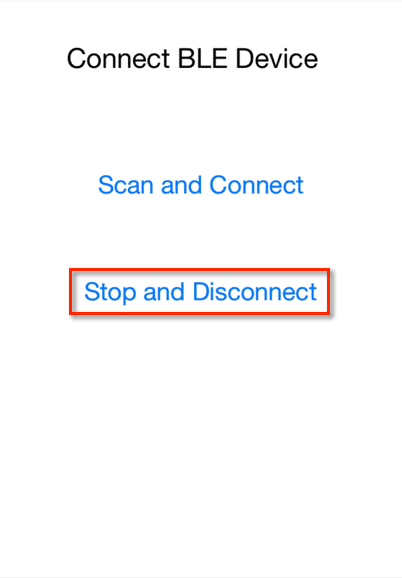
外觀UI變更為:
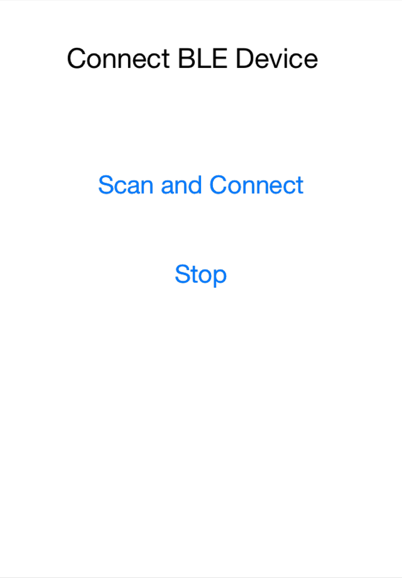
Scan執行之後就會引發didDiscoverPeripheral,其中的連線是在這處理的,我們繼續看下去。
Stop And Disconnect 按鍵
Button改成Stop and Disconnect,按下之後會停止 Scan動作以及將已連線動作斷線,原先的程式:
- (IBAction)buttonStop:(id)sender {

    [CM stopScan];
    NSLog(@"stopScan");
}
我們連線後會將連線的CBPeripheral物件傳至connectPeripheral,所以在按下時能夠使用物件的方法去執行斷線的動作,當未指定時connectPeripheral = NULL,不需要執行斷線命令,將這段判斷加入:
    if (connectPeripheral == NULL){
        NSLog(@"connectPeripheral == NULL");
        return;
    }
接下來再加入斷線的動作,在動作之前先判斷是否已經連線,但判斷是否已連線的狀態在iOS7之後有作變更:
- iOS7
    if (connectPeripheral.state == CBPeripheralStateConnected) {
        [CM cancelPeripheralConnection:connectPeripheral];
        NSLog(@"disconnect-1");

    }
使用state方法取得狀態,狀態分為:
    CBPeripheralStateDisconnected
    CBPeripheralStateConnecting
    CBPeripheralStateConnected
- iOS6
    if ([connectPeripheral isConnected]) {
        [CM cancelPeripheralConnection:connectPeripheral];
        NSLog(@"disconnect-1");
    }
外觀UI變更為:
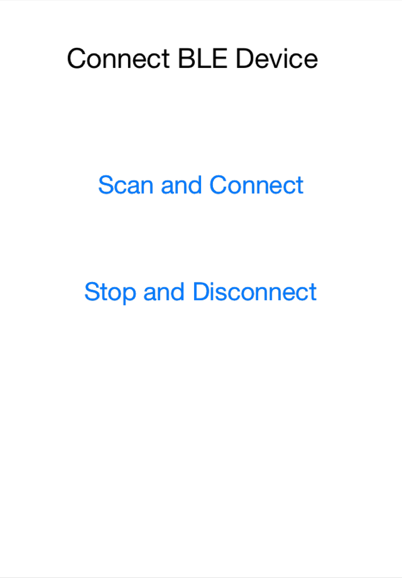
UI外觀都已經完成,後面就會開始加入連線需要的程式碼。
連線指定的周邊
Scan藍牙的周邊時就會引發didDiscoverPeripheral的Delegate,發現多少週邊就會不斷的重覆執行 didDiscoverPeripheral,我們要在這個情況下,對每個周邊進行比對,如果比對是指定要連線的周邊就會進行連線,否則程式就不理會。看一下原先的didDiscoverPeripheral程式碼:
- (void)centralManager:(CBCentralManager *)central didDiscoverPeripheral:(CBPeripheral *)peripheral advertisementData:(NSDictionary *)advertisementData RSSI:(NSNumber *)RSSI {

    NSLog(@"peripheral\n%@\n",peripheral);
    NSLog(@"advertisementData\n%@\n",advertisementData);
    NSLog(@"RSSI\n%@\n",RSSI);

}
我們利用advertisementData資料中的CBAdvertisementDataLocalNameKey取得的周邊連線名稱來判斷周邊是否存在,從剛的資料得到:
2014-03-31 16:33:49.034 BluetoothLE-Connect[3454:60b] advertisementData
{
    kCBAdvDataChannel = 39;
    kCBAdvDataIsConnectable = 1;
    kCBAdvDataLocalName = DannySimpleBLE;
    kCBAdvDataServiceUUIDs =     (
        FFF0
    );
    kCBAdvDataTxPowerLevel = 0;
}
CBAdvertisementDataLocalNameKey取得的就是列表中的kCBAdvDataLocalName內容,結果就是DannySimpleBLE
kCBAdvDataLocalName = DannySimpleBLE;
使用NSString的rangeOfString來比對字串內容是否相同,判斷的程式為:
if ([localName length] && [localName rangeOfString:@"DannySimpleBLE"].location != NSNotFound) {
:
:
}
最後,我們加入一些判斷需不需要連線至週邊的程式碼就會是下面的內容:
    NSString *localName = [advertisementData objectForKey:CBAdvertisementDataLocalNameKey];

    NSLog(@"localName:%@",localName);

    if ([localName length] && [localName rangeOfString:@"DannySimpleBLE"].location != NSNotFound) {
        //抓到週邊後就立即停子Scan
        [CM stopScan];
        NSLog(@"stopScan");
        connectPeripheral = peripheral;
        [CM connectPeripheral:peripheral options:nil];
        NSLog(@"connect to %@",peripheral.name);
    }
其實確定連線時,會將目前連線的CBPeripheral指定至connectPeripheral,配合按下Stop and Disconnect,整個程式碼修改成:
- (void)centralManager:(CBCentralManager *)central didDiscoverPeripheral:(CBPeripheral *)peripheral advertisementData:(NSDictionary *)advertisementData RSSI:(NSNumber *)RSSI {

    NSLog(@"peripheral\n%@\n",peripheral);
    NSLog(@"advertisementData\n%@\n",advertisementData);
    NSLog(@"RSSI\n%@\n",RSSI);

    NSString *localName = [advertisementData objectForKey:CBAdvertisementDataLocalNameKey];

    NSLog(@"localName:%@",localName);

    if ([localName length] && [localName rangeOfString:@"DannySimpleBLE"].location != NSNotFound) {
        //抓到週邊後就立即停止Scan
        [CM stopScan];
        NSLog(@"stopScan");
        connectPeripheral = peripheral;
        [CM connectPeripheral:peripheral options:nil];
        NSLog(@"connect to %@",peripheral.name);
    }

}
是否已連線至周邊
已連線、已斷線一旦發生時就會引發2個Delegate,直接看程式內容。
已連線
-(void)centralManager:(CBCentralManager *)central didConnectPeripheral:(CBPeripheral *)peripheral {

    NSLog(@"%@",@"connected");
}
已斷線
-(void)centralManager:(CBCentralManager *)central didDisconnectPeripheral:(CBPeripheral *)peripheral error:(NSError *)error {

    NSLog(@"%@",@"disconnect-2");
}
所以程式增加了已連線 與 已斷線 狀態顯示於Debug中,在這部分也都完成這次範例程式的解說。
執行範例程式
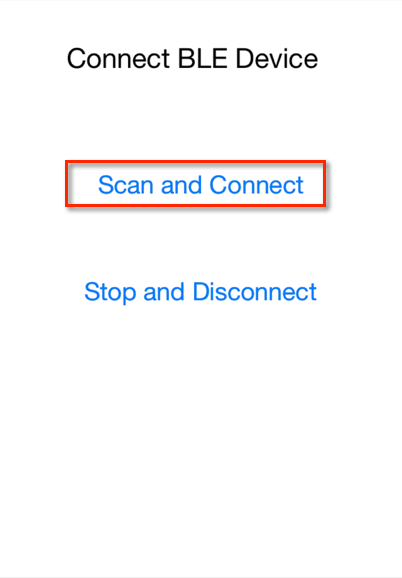
我們將範例程式執行之後,按下選單的Scan and Connect,接下來看一下Debug視窗會看到訊息。
下面為輸出的訊息結果:
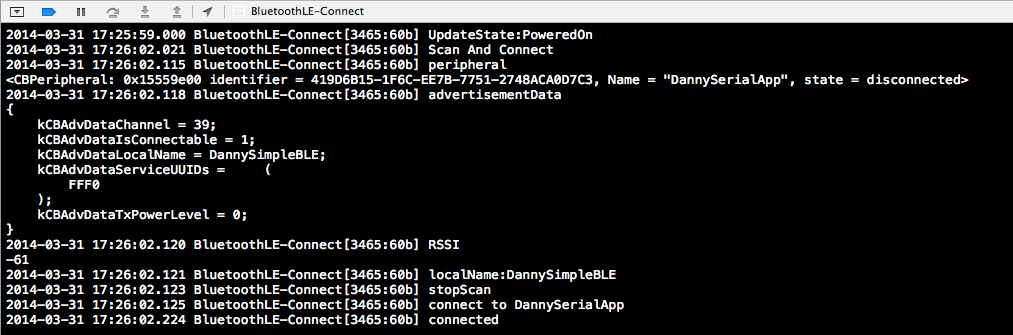
圖片字太小的話,下面是文字訊息:
2014-03-31 17:25:59.000 BluetoothLE-Connect[3465:60b] UpdateState:PoweredOn
2014-03-31 17:26:02.021 BluetoothLE-Connect[3465:60b] Scan And Connect
2014-03-31 17:26:02.115 BluetoothLE-Connect[3465:60b] peripheral
<CBPeripheral: 0x15559e00 identifier = 419D6B15-1F6C-EE7B-7751-2748ACA0D7C3, Name = "DannySerialApp", state = disconnected>
2014-03-31 17:26:02.118 BluetoothLE-Connect[3465:60b] advertisementData
{
    kCBAdvDataChannel = 39;
    kCBAdvDataIsConnectable = 1;
    kCBAdvDataLocalName = DannySimpleBLE;
    kCBAdvDataServiceUUIDs =     (
        FFF0
    );
    kCBAdvDataTxPowerLevel = 0;
}
2014-03-31 17:26:02.120 BluetoothLE-Connect[3465:60b] RSSI
-61
2014-03-31 17:26:02.121 BluetoothLE-Connect[3465:60b] localName:DannySimpleBLE
2014-03-31 17:26:02.123 BluetoothLE-Connect[3465:60b] stopScan
2014-03-31 17:26:02.125 BluetoothLE-Connect[3465:60b] connect to DannySerialApp
2014-03-31 17:26:02.224 BluetoothLE-Connect[3465:60b] connected
結果中能看到在程式中的connected的Debug訊息,當我們按下按鍵上的Stop And Disconnect,就會立即斷線
Debug訊息看到在Button中提示disconnect-1及在didDisconnectPeripheral中的disconnect-2提示出現,也就是當我們執行斷線cancelPeripheralConnection時就會引發Delegate讓開發者可以在斷線時做一些程式的處理邏輯。

額外說明
程式執行時,如果您需要再利用Deubg訊息觀看Scan所有週邊的結果,我們Scan and Connect程式內容修改一下:
if ([localName length] && [localName rangeOfString:@"DannySimpleBLE"].location != NSNotFound) {
修改成
if ([localName length] && [localName rangeOfString:@""].location != NSNotFound) {
將比對的名稱改成空白,使比對條件不符合就能列出所有已Scan到的BLE周邊。
Trackbacks/Pingbacks